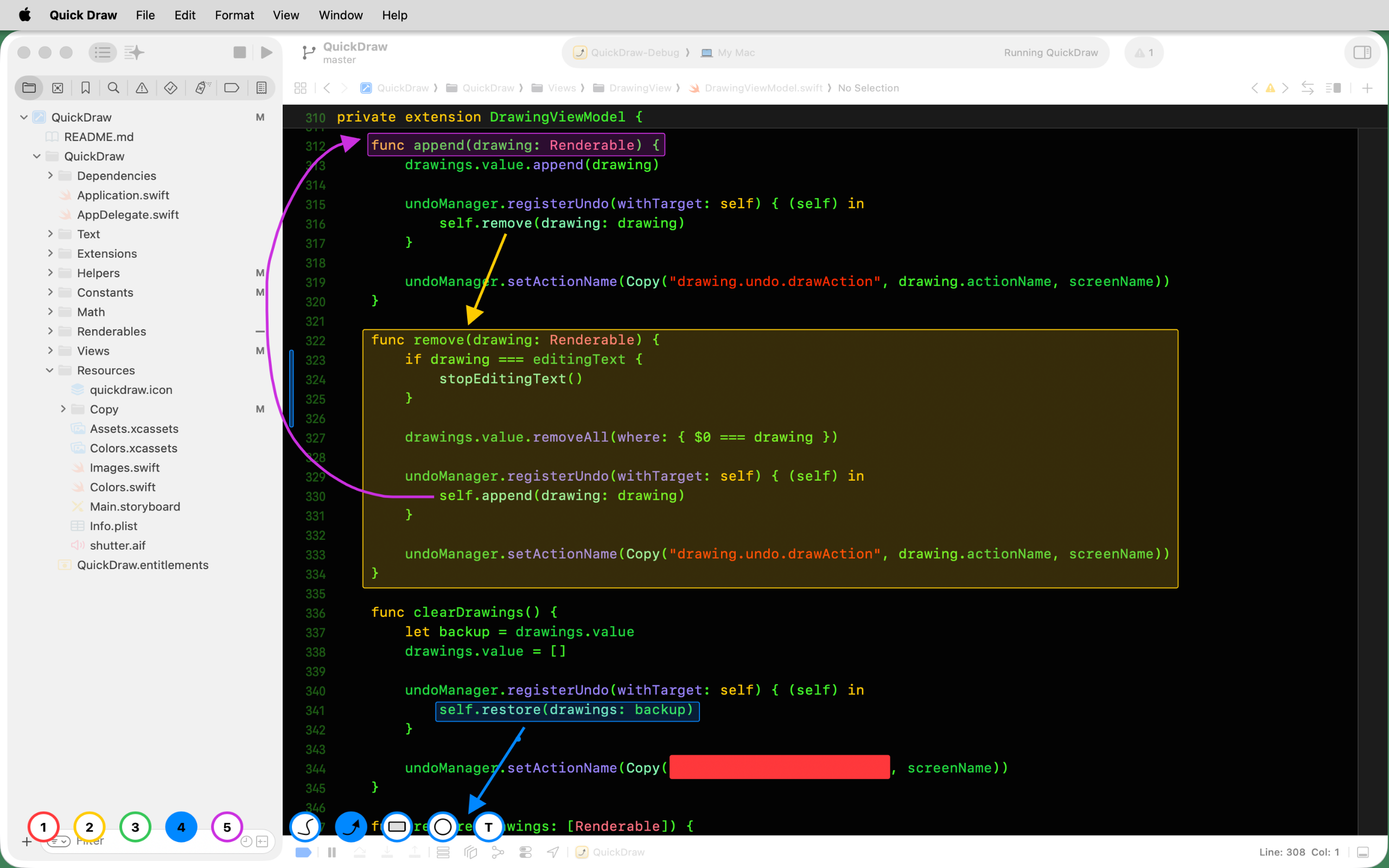
Do you need a quick, easy and unobtrusive way to highlight content while screencasting? Rather than circling your mouse around wildly, try QuickDraw!
When QuickDraw is active, you can draw lines, arrows, rectangles, circles and text over other windows on your screen. Press the escape key to clear the drawing, and press it again to jump right back to where you were without missing a beat!
More info & screenshots at https://apps.mergeable.io/quick-draw/
Keyboard Shortcuts
Key/s       Function
~~~~~       ~~~~~~~~
12345       Select colours 1 to 5
L           Line mode - hold Shift while drawing for straight lines
A           Arrow mode - hold Shift while drawing for straight arrows
R           Rectangle mode - hold Shift while drawing to fill
C           Circle mode - hold Shift while drawing to fill
T           Text mode - hold Shift while drawing to include a background
⌘C          Copy screenshot to Clipboard (permissions may be requested the first time)
⌘S          Save a screenshot to Finder
⌘Z          Undo
Space       Hold whilst drawing to adjust object position
⌫           Backspace to delete all drawings below the mouse
/           Show or hide the startup message (persisted)
⌥/          Show or hide the toolbar (persisted)
ESC         Clear all drawings. Press again to hide Quick Draw
You can clone this repo and build Quick Draw yourself, or you download the latest version and support further development with a one-time purchase on the Mac App Store: https://apps.apple.com/us/app/quick-draw/id1459010006
Many years ago, I used to mentor an online Swift course and wanted a quick, easy and unobtrusive way to highlight and describe code during video calls.
I continue to use Quick Draw today to pre-annotate my screen before taking a screenshot instead of the extra steps required when annotating an image that already exists.
Feel free to create an issue, or fix it yourself - pull requests are welcome!