
Plugin that brings Jolt Physics into unreal engine 5
- This is a bolt on integration and not a replacement for the existing chaos physics solver.
- You should only need this if you specifically want some kind of behaviour that's not available in chaos.
- Deterministic physics, multicore processing of many bodies could make the case.
- Multicore processing it not yet implemented properly using Unreal's own thread pool system.
- The implementation of this plugin while is generic (somewhat), is still tied to something I am developing on the side. Just keep in mind that all features of UE might not be integrated, you might have to do it yourself. (Drop a PR if you do :) )
- There are possibilities of breaking changes, until 1.0.0 at least. (will try to avoid)
- Unreal engine 5.8.1 (Might work on older versions)
- Clone (
git clone --recursive git@github.com:Yadhu-S/UnrealJolt.git) or download into thePluginsfolder (<project>/Plugins or Engine/Plugins) - Take a look inside
UnrealJoltLibrary.Build.csto see the user defines, modify what you need, or leave defaults. Check the available defines here - Compile project
- Make sure UnrealJolt is enabled in "Plugins"
- Use actor-tag and tag dynamic objects with
jolt-dynamic(make sure that the object is movable) and static objects withjolt-static

- Plugins->Jolt in your project settings.
- Check the defaults, and change if required.
- Debug rendering is slow, especially when visualizing large heightmaps. Drawing all those triangles. (Need to look into drawing triangles only once for static objects )
- UJoltSkeletalMeshComponent extends USkeletalMeshComponent to add jolt specific functionality (Browse JoltSkeletalMeshComponent.h to see the available functions)
- Modify the physics asset as required through the editor
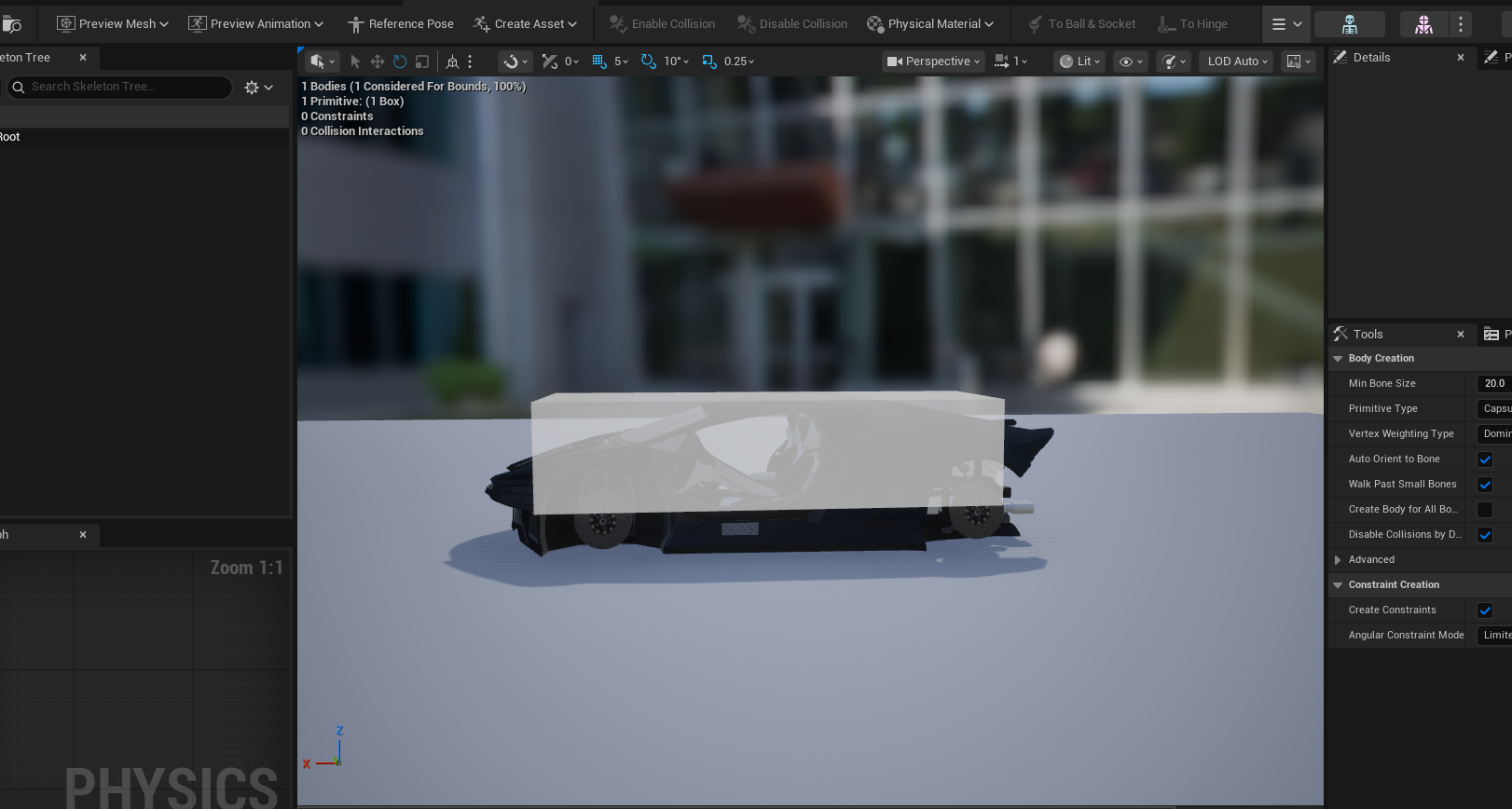
- Compound shapes are also supported
- Adjust the options as required
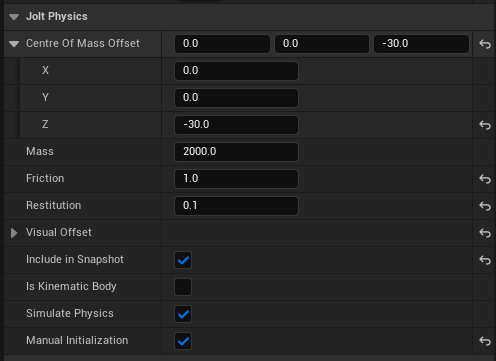
- Adjust the "Visual Offset" to align the visual mesh with the physics body


-
UJoltPhysicsComponentis a component alternative to thejolt-static/jolt-dynamicactor-tag workflow. Add it to any actor to get per-actor control over physics properties. -
Automatically creates its Jolt body on
BeginPlay(or when the subsystem processes all actors at world start). -
Motion Type:
StaticorDynamic. Note there's no runtime setter for this. -
Layer: pick the Jolt object layer this body collides on. Defaults to
Default, which resolves to the project's default layer for the selected Motion Type (configured under Project Settings > Plugins > Jolt > Layers). Changing Motion Type resets it toDefault. The two default layers themselves aren't offered by name — picking one would freeze the body on that layer and it would stop following Motion Type, which on a placed instance silently survives later edits to the Blueprint. -
Allowed DOFs: bitmask restricting which translation/rotation axes the body simulates on (e.g. lock rotation, or constrain to 2D movement). Only applies to non-static bodies.
-
Mass: auto-computed from the owner's static meshes (collision geometry and physical material) at body creation; enable Override Mass to author a fixed value in kg instead. Computed Mass below it previews what the automatic calculation yields — it is display-only and never saved.
-
Gravity Factor: per-body multiplier on world gravity.
-
Apply Gyroscopic Force: simulates gyroscopic torque so spinning bodies resist changes to their spin axis.
-
Max Linear / Angular Velocity: velocity caps for the body, in Unreal units — cm/s and deg/s. (Jolt works in m/s and rad/s; the conversion happens inside the plugin.)
-
Friction / Restitution: surface properties for this body.
-
Linear / Angular Damping: drag applied to linear and angular motion.
-
Allow Sleeping: whether the body can go to sleep when at rest. Note that a sleeping body ignores property changes until something wakes it — call
Wake Bodyafter changing gravity factor, damping, mass or the velocity caps on a body that has come to rest. -
Num Velocity / Position Steps Override: per-body solver iteration overrides (0 = use project default).
-
Enhanced Internal Edge Removal: extra effort to remove ghost collisions on internal mesh edges, at a performance cost.
-
Every static mesh on the actor contributes collision: one Jolt body is created per actor, compounding all of its meshes, not one body per mesh.
-
All of the above (aside from Motion Type) are also exposed as Blueprint-callable setters on the component (e.g.
SetMass,SetFriction,SetGravityFactor,SetAllowSleeping, etc.), plusGetMaxLinearVelocityandWakeBody, so you can adjust physics properties at runtime from Blueprints. Grab the component withGet Component by Classand call the setter on it. Calling a setter before the body exists (or after the actor ends play) just updates the stored value, whichCreateBodythen applies.


- Landscapes and LandscapeSplines are cooked automatically when you Play in Editor.
- This may be a chore if you work with many levels, playing a level at least one time in editor (will work on it).
- A
JoltDatadirectory is always generated during cooking and must be included when packaging your project.
Configured under Project Settings → Plugins → Jolt → Layers.
- Add/remove Broadphase Layers and Object Layers using the array widgets.
- For each Object Layer, pick its Broadphase Layer from the dropdown.
- Toggle which layer pairs collide in the Collision Matrix.
StaticandDynamicare required and cannot be deleted.
To ensure deterministic simulation with Jolt Physics across platforms, follow the official guidelines. Use Jolt’s math and utility functions (Sin, Cos, QuickSort, BinaryHeapPush/Pop, Hash) instead of STL or platform-dependent ones, and always keep API calls (body/constraint creation, updates) in the same order.
Found this project useful? Awesome!
If you’ve added a feature, fixed a bug, or improved something that isn’t here yet—feel free to open a PR! Note: The plugin must compile on both Linux and Windows.
- Jorrit Rouwe for making jolt
- Andrea Catania for the video series on YouTube