








Tip
日本語の説明はこちら → README_ja.md(日本語版 README)
Kawaii Physics is a simple pseudo-physics plugin for Unreal Engine.
It allows you to easily and cutely animate things that sway, such as hair, skirts, and breasts.

Contents

Character: Gray-chan

Character: Original 3D Model "Lzebul" / Motion: Mirai Komachi

Character: TA-style Kano Saginomiya / Motion: Shikanokonokonokoshitantan / Setup: TA Co., Ltd.
 |
 |
- Drives your sway bones from the character's animation and movement
- Just drop a single
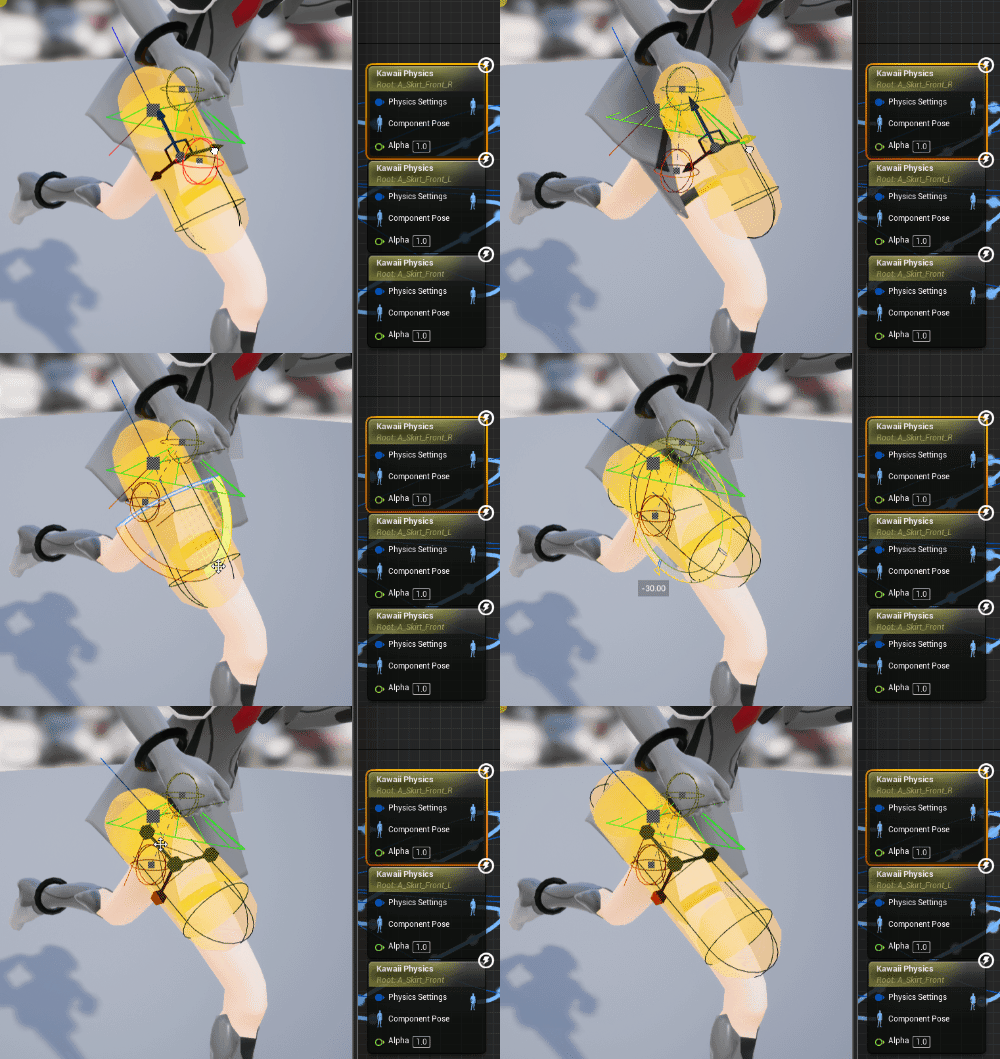
KawaiiPhysicsnode into your AnimGraph and you're set - Supports sphere, capsule, and plane collisions, all adjustable right in the viewport
- Keeps bone lengths fixed, so bones never stretch or collapse even if the simulation breaks down
- Uses a simple, PhysX-free algorithm, so it stays light at runtime
- Apply not just wind and gravity, but also custom forces for artistic effect
- Save and reuse your settings through
DataAssetandPhysicsAsset - Constrain the distance between bones to keep skirts from clipping through the legs (BoneConstraint)
- Sync animation-driven bones (e.g. legs) into the simulation so cloth follows the body and avoids penetration (SyncBone)
- Drive parameters and external forces at runtime from Blueprint or C++
- For other recent features, see the Changelog (KawaiiPhysics Portal)
I referred to the following material while implementing the physics behavior:
If you do not have a C++ build environment, please download the plugin from the following links:
- GitHub Releases
- FAB (Same content as the GitHub version)
- Booth (Follow the store to receive update notifications)
- Unreal Engine 5.3 ~ 5.8
- UE4.27: v1.11.1
- Create a
Pluginsfolder in the root of your project. - Copy the downloaded
KawaiiPhysicsfolder to thePluginsfolder.
- Add and use the
KawaiiPhysicsnode in the AnimGraph of the Animation Blueprint. - For detailed parameter settings, please refer to the documentation.
Note: An error may occur when packaging a project that only uses Blueprints. In that case, please convert it to a C++ project or refer to this article.
- Portal: Official documentation (latest)
- Wiki: Legacy documentation (the latest information has moved to the Portal)
- DeepWiki: AI-generated documentation
- Discussions: For questions, requests, and general chat
- Issues: Bug reports
- Internal Implementation Explanation of the Self-Made AnimNode "Kawaii Physics" Part 1
- Test of using #ControlRig to prevent skirt penetration in conjunction with #KawaiiPhysics

The sample project on GitHub includes a sample level and characters.
- Engine Version: UE 5.8
- Sample Level:
Content/KawaiiPhysicsSample/L_KawaiiPhysicsSample - Feature Samples:
Content/KawaiiPhysicsSample/Examples/has one level per topic. Each exhibit shows a single feature with its own AnimBlueprint, step by step.Content/KawaiiPhysicsSample/L_KPS_AllExamplesloads every topic level side by side so you can browse all features in one place. In Play In Editor, press Z / X to jump to the previous / next exhibit in the current topic and PageUp / PageDown to jump to the previous / next topic. Press H to open the documentation page for the current exhibit on the KawaiiPhysics Portal. Press B to open the AnimBlueprint used by that exhibit in the editor. In the editor, the Open Docs and Open AnimBP buttons in the Details panel of each sign actor do the same. The descriptions on the signs follow the current language: Japanese when it is Japanese, English otherwise.01_BoneChain(RootBone / DummyBoneLength / ExcludeBones / AdditionalRootBones / multiple nodes and tags)02_PhysicsSettings(Damping / Stiffness / WorldDamping / LimitAngle / curves / teleport thresholds / warm-up / SkelCompMoveScale)03_Collision(sphere / capsule / tapered capsule / box / planar / LimitsDataAsset / PhysicsAsset / world collision)04_Forces(gravity / simple external force / external force presets / AnimNotify / external force space / force rate by bone length / legacy gravity)05_Advanced(bone constraints / bone subdivision / SyncBone / presets / shared collision)06_RuntimeControl(alpha, physics settings multiplier and wind gusts from Blueprint / settings multiplier AnimNotifyState / Sequencer track / post process AnimBlueprint for Sequencer / AnimNode function / external force volume)07_SimpleWorldCollision(automatic level collision / gathered shapes / skeletal mesh collision modes / gather radius)08_Wind(ProceduralWind components / wind preset DataAsset / trigger gust AnimNotify / Shared Publisher)09_Showcase(a complete setup on the TA-style Kano Saginomiya character, part by part)
- Characters Used:
- Gray-chan: http://rarihoma.xvs.jp/products/graychan
- TA-style Kano Saginomiya: Provided by TA Co., Ltd.
- Copyright (c) 2025 TA Co., Ltd. All rights reserved
- Terms of Use: https://uzurig.com/ja/terms_of_use_jp/
The sample project enables UE 5.8's experimental Unreal MCP plugin, so MCP clients can operate the editor. Kawaii Physics bundles its own toolset (KawaiiPhysicsToolset) that covers authoring (adding and editing KawaiiPhysics and Shared Publisher nodes, collision limits and external forces), presets and audits, verification in Play In Editor (runtime node info, bone and collision checks, bone and penetration samplers, temporary settings multipliers and wind gusts), and skirt check-and-tune helpers (ring bone constraints, radius by depth, motion recording and analysis).
- Start the MCP server with either of the following:
- Run the console command
ModelContextProtocol.StartServer(starts immediately) - Enable Auto Start Server under Editor Preferences > General > Model Context Protocol (applies from the next launch; saved per user)
- Run the console command
- Connect your MCP client to
http://127.0.0.1:8000/mcp. The.mcp.jsonin the project root already contains this setting.
The toolset also registers an Agent Skill (KawaiiPhysicsSetupSkill) with tips for setting up, tuning and verifying KawaiiPhysics nodes through MCP.
The server lets clients control the editor. Start it only when you need it.
Kawaii Physics is used in many projects!
- Showcase List
- Please share your work with us here!
- When sharing your work on Twitter/X, please use the hashtag #KawaiiPhysics!
If this plugin has been even a little helpful for your UE projects, I’m truly glad to hear that!
I’ve been developing it solo as both a hobby and a practical tool — squeezing out development time and even covering coffee costs out of my own pocket ☕
If you think “Hey, this is pretty good!”, your support via a purchase on FAB or through GitHub Sponsors would mean a lot to me and help keep development going.
(You can read more about the background behind the FAB launch here.)